
VITEEE Application Form 2027: Step-by-Step Registration Guide
Stepping into the world of engineering through the Vellore Institute of Technology Engineering Entrance Examination (VITEEE) is a dream for thousands of aspiring students across India. However, before you can dive deep into physics derivations and calculus problem sets, you have to cross your first major hurdle: filling out the application form correctly.
Every year, applicants lose valuable sleep or face unwanted technical hiccups simply because they missed minor guidelines regarding board codes, image sizing, or personal details matching. To save you from those last-minute heart palpitations, this human-crafted, verified walkthrough breaks down every single phase of the VITEEE Application Form 2027 process.
Important Dates & Schedule for VITEEE 2027
Staying ahead of deadlines is half the battle won. Below is the official tentative schedule announced for the VITEEE 2027 admission cycle:
| Event Description | Tentative Dates |
|---|---|
| Online Applications Open | 20 October 2026 |
| Last Date to Submit Application | 31 March 2027 |
| Admit Card Download Window | 25 – 30 April 2027 |
| VITEEE Exam Window | 27 April – 02 May 2027 |
| Results & Counselling Phase | 2nd Week of May 2027 |
Step-by-Step Guide to Filling Out VITEEE 2027 Form
Step 1: Sign Up & Initial Login
Your journey begins on the official landing page. Don't rush this part—accuracy here builds the foundation for your entire applicant profile.
- Visit viteee.vit.ac.in and click on the Register / Sign Up ta.
- Input your full candidate name strictly as printed on your Class 10 official marksheet.
- Provide your exact Date of Birth, Gender, Nationality, active mobile number, and personal email ID. (Make sure you own this phone and email because all future counseling updates and OTPs land there!)
- Verify your credentials via OTP, receive your system-generated application number and password via email, and log in.
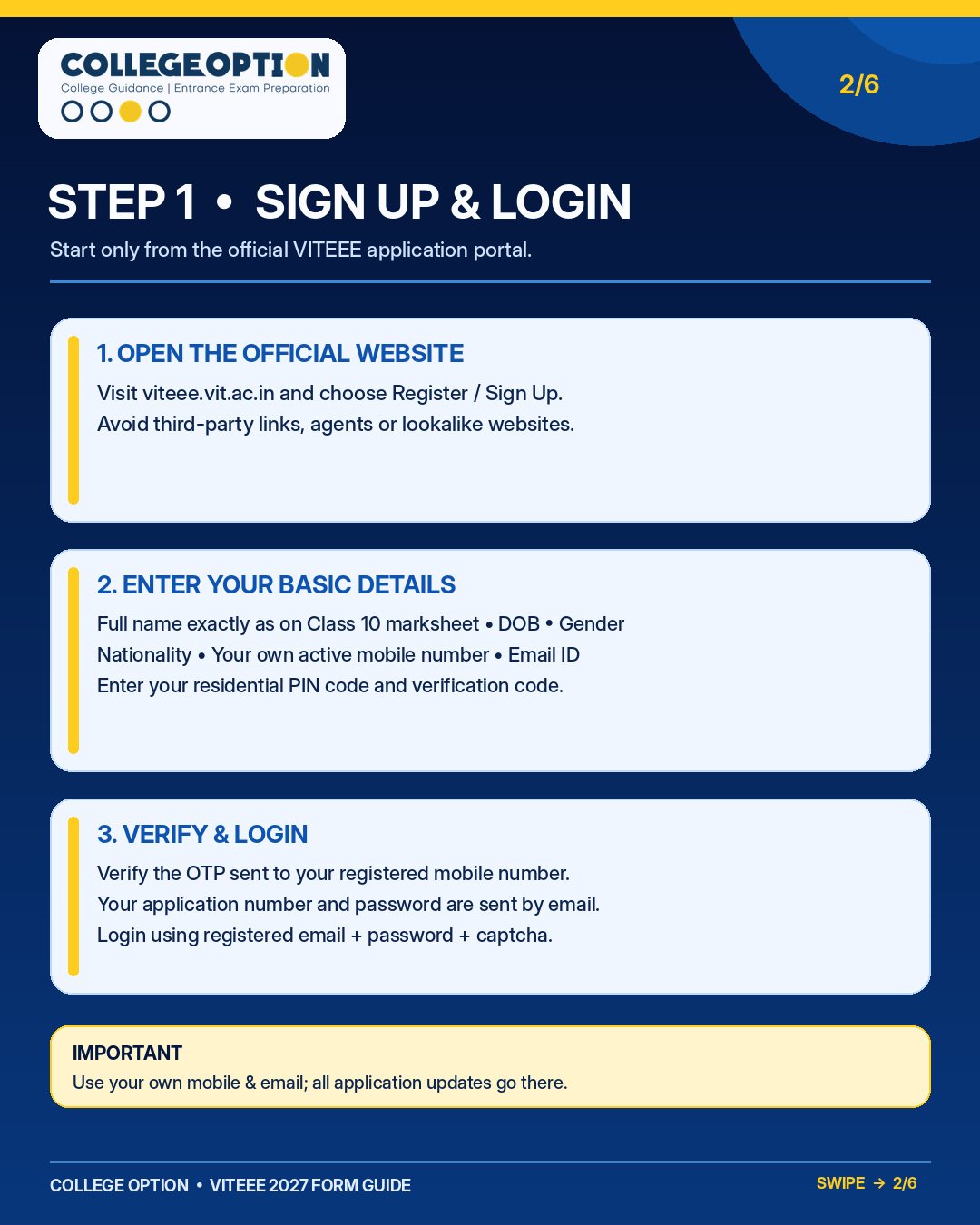
Step 1: Initial account creation on the official VIT portal.
Step 2: Personal & Academic Details Setup
Next up is feeding your social background and schooling background into the portal.
- Fill in your community, category, EWS status (if applicable), native state, and mother tongue.
- Enter your correspondence address carefully—your computer-based test city is automatically allotted based on this postal pin code.
- Select your Class 12 board code correctly from the official prospectus list. An incorrect board code is a classic trap that triggers application flagging.
- Choose your subject combination stream wisely: MPCEA (Maths + Physics + Chemistry) for all B.Tech branches, or BPCEA (Biology + Physics + Chemistry) for selective bio-stream programmes.
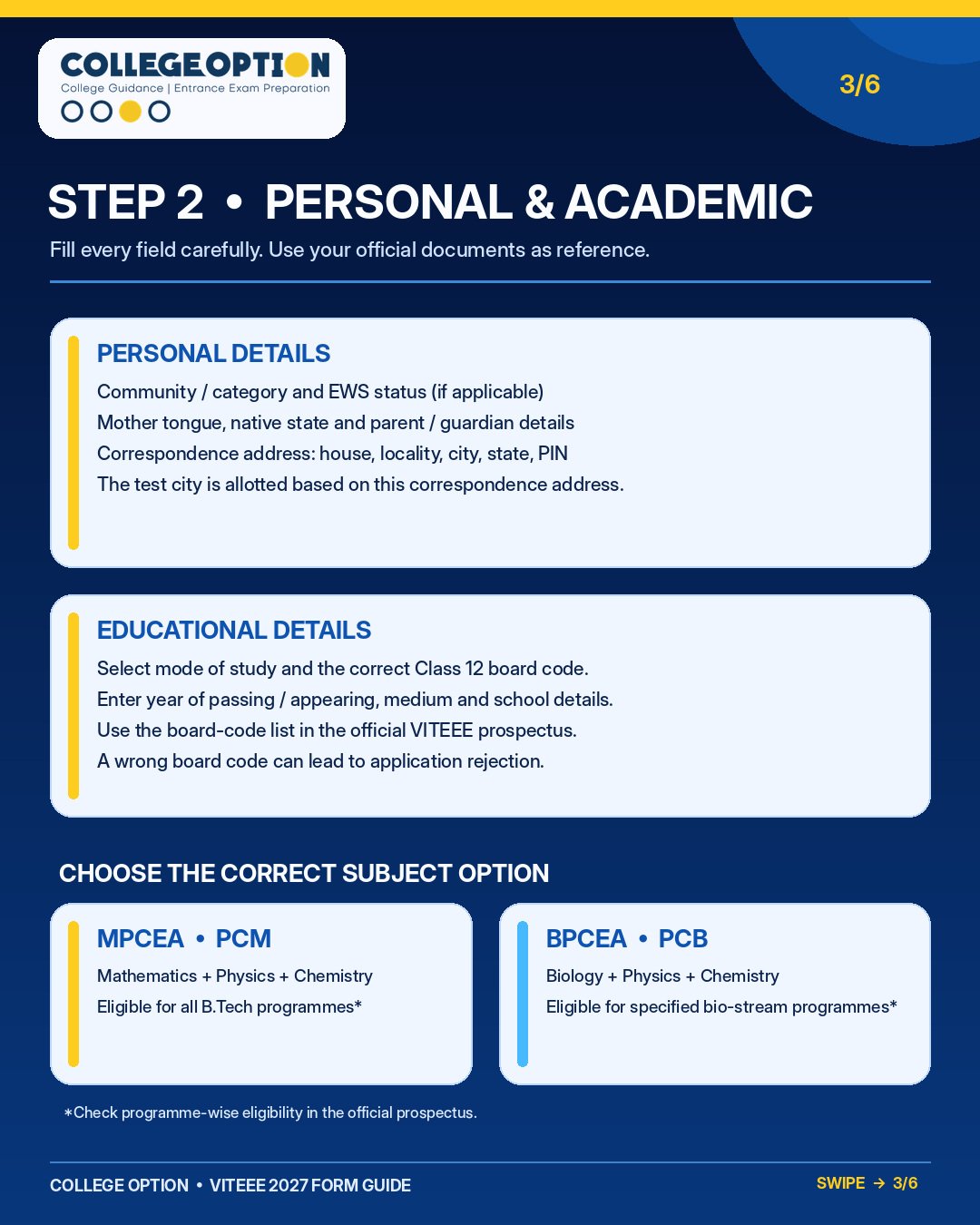
Step 2: Entering personal data and selecting the appropriate subject stream.
Step 3: Class 10 Information & Application Fee Payment
Before confirming your academic baseline, you'll clear the application fee.
- Enter your Class 10 roll/register number and passing year precisely as recorded on your marksheet, followed by uploading the scanned document.
- Pay the non-refundable application fee of ₹1,450 if you are testing within India (or USD 90 equivalent for international test centers)].
- Complete the secure online transaction and instantly download/save the e-receipt for your records.
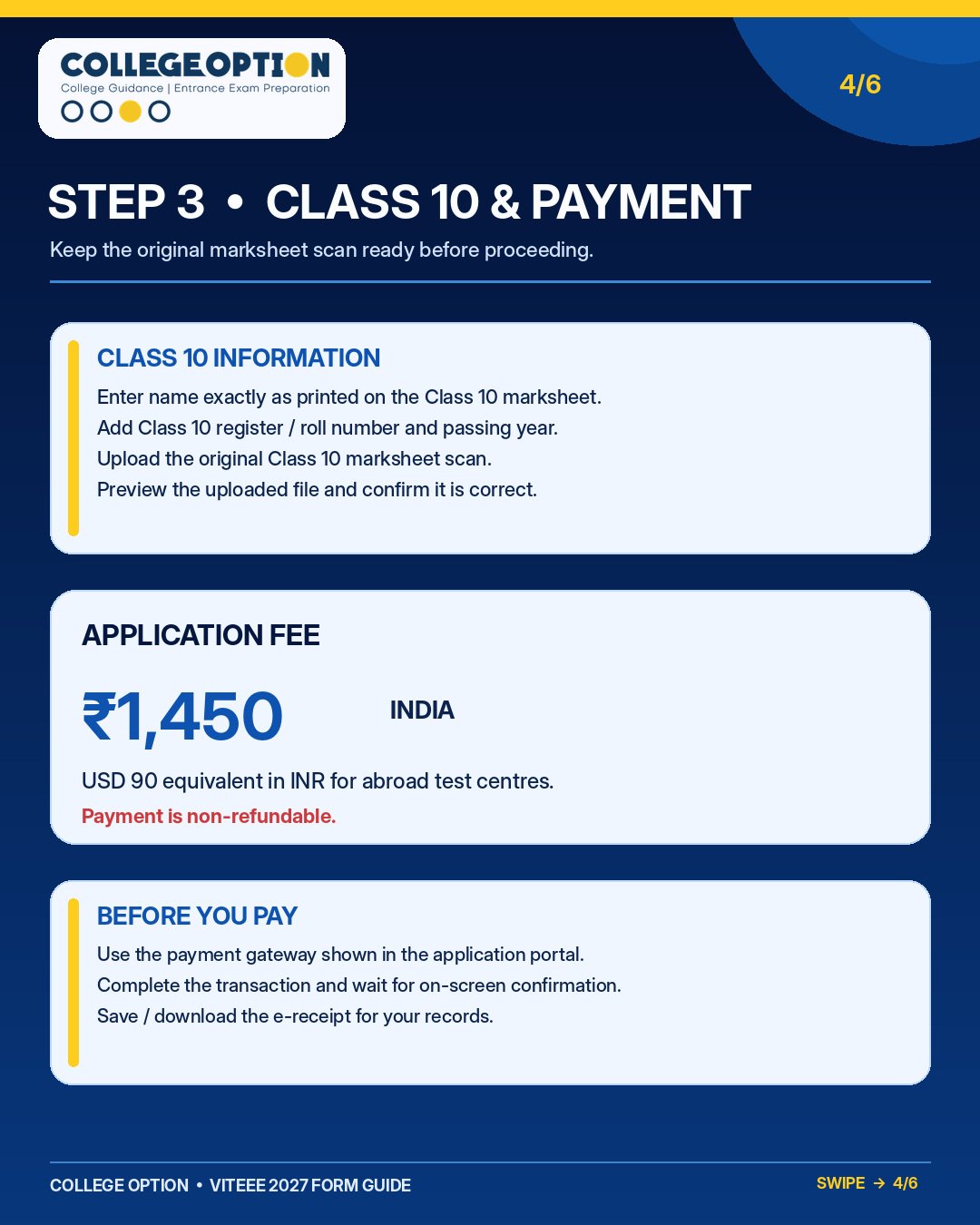
Step 3: Class 10 record submission and fee gateway checkout.
Step 4: Live Photograph, Signature, & Address Proof Uploads
VIT has very specific file requirements to prevent verification failures during admit card generation.
- Live Photograph: Capture a fresh photo directly through your device camera against a clean white/off-white background. Keep your face centered with eyes open and a neutral expression (no old studio uploads!).
- Signature Upload: Sign on plain white paper using dark blue or black ink, crop to a 3.5 cm × 1.5 cm ratio (7:3), keeping file sizes between 20 KB – 300 KB in JPG/JPEG format.
- Address Proof: Upload any one valid document (Aadhaar, Passport, Voter ID, Driving Licence, or Domicile Certificate) matching your correspondence address.
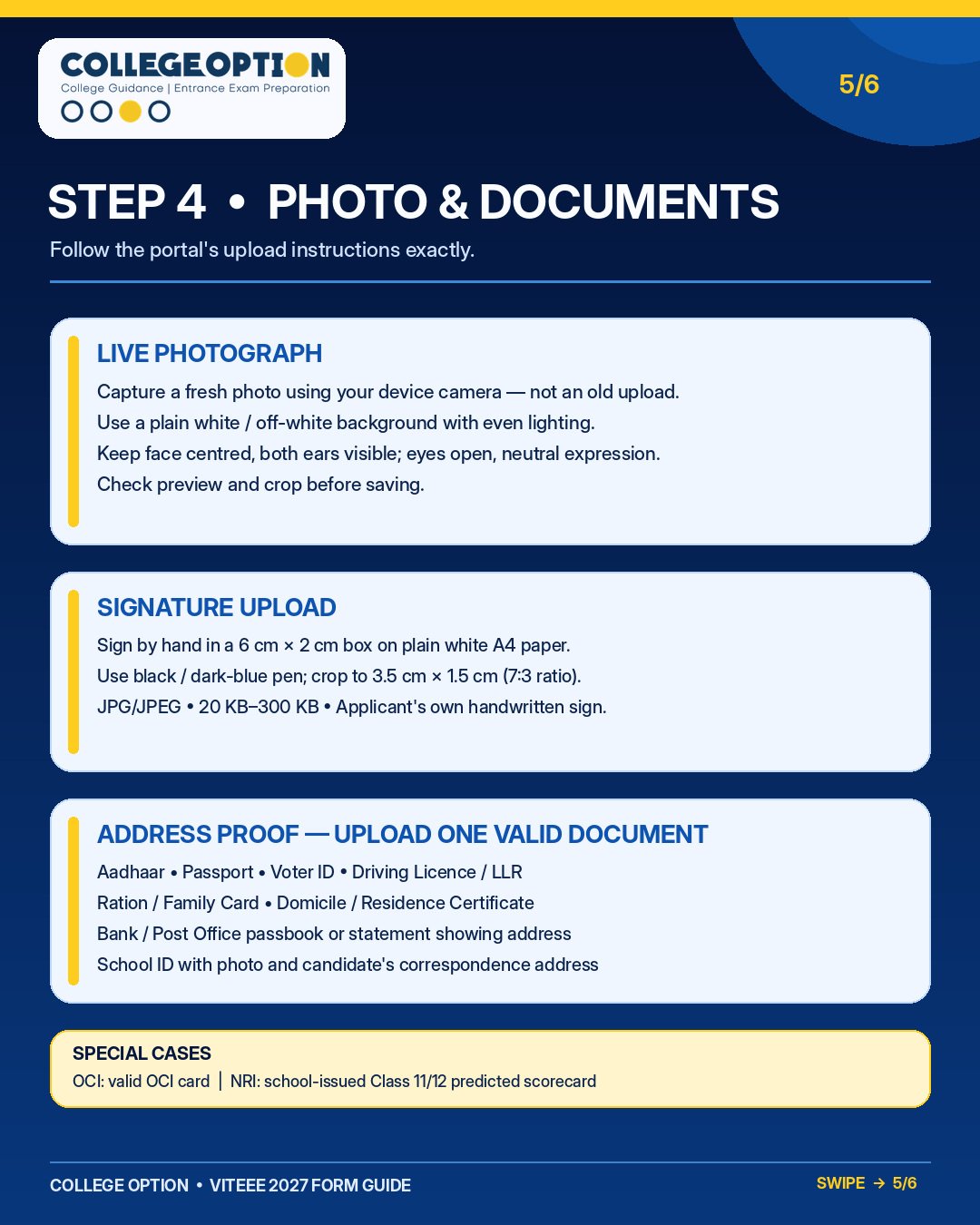
Step 4: Guidelines for live camera photo capture, signature specs, and address proofs.
Step 5: Final Check, Review & Submission
You’ve reached the finish line! Take a deep breath and cross-verify every single field.
- Go through the final review screen item by item to ensure your name, spelling, DOB, and exam category match your legal documents.
- Download the complete application PDF copy for your future reference.
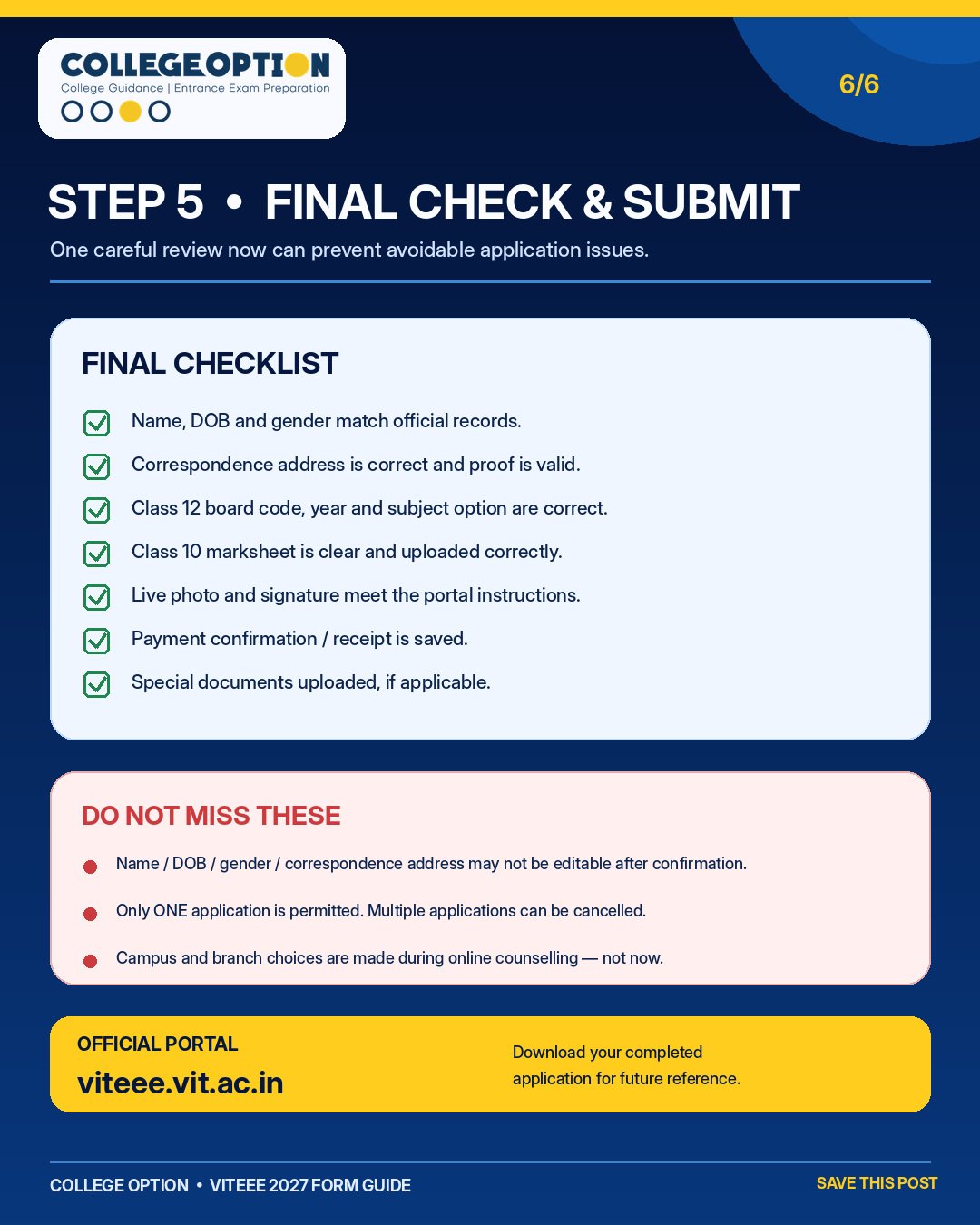
Step 5: Final review checklist and submission safety measures.
- Non-Editable Fields: Core details like your Name, Date of Birth, Gender, and Address cannot be modified once you click final submit].
- Single Application Rule: Submit only ONE application form. Duplicate applications lead to administrative cancellation.
- No Branch Selection Now: Do not panic about choosing your engineering branches or campus locations at this stage—branch and campus choices are locked later during online centralized counselling].
Conclusion: Setting Yourself Up for Success
Filling out the VITEEE Application Form 2027 doesn't have to be a stressful ordeal. By keeping your documents ready, double-checking your board codes, and adhering strictly to the photo and signature guidelines, you ensure that your form clears administrative scrutiny smoothly. Once your submission receipt is safely stored, pivot your complete focus toward solving mock papers, mastering your core concepts, and keeping up a healthy study routine.
Frequently Asked Questions (FAQs)
The only authentic and official portal for registration is viteee.vit.ac.in. Avoid clicking unverified links from third-party advertising sites.
The application fee is ₹1,450 for candidates testing at centers within India, and USD 90 (or equivalent) for those opting for international test centers.
Yes! Candidates with a Biology, Physics, and Chemistry (BPCEA) background are eligible to apply for specific bio-stream B.Tech degree programs offered by VIT.
No, critical data such as your name, date of birth, gender, and correspondence address are permanently locked after confirmation. Review everything carefully on the preview screen.
Yes, the portal requires you to capture a fresh live photograph using your device's camera against a plain background rather than uploading an older studio picture.
Campus and branch choices are not selected during initial registration; they are submitted later during the online centralized counselling sessions based on your exam rank.